
If you play video games, you likely own titles scattered across multiple digital storefronts and launchers. Steam, Epic Games, GOG, and console ecosystems all fragment your library. Finding what you want to play often turns into a tedious chore of opening different applications, waiting for updates, and scrolling through disorganized lists.
Gamevault exists to solve this exact problem. As a dedicated game management platform, it pulls your digital library together into one unified, highly customizable space. Whether you manage a massive backlog of hundreds of games or simply want a cleaner way to view your weekend favorites, an organized system saves time and reduces frustration.
This article explores the primary advantages of using Gamevault for game organization. We will look at how it streamlines your collection, enhances user experience, and provides advanced features like cloud storage and cross-platform compatibility.
The Challenge of Digital Library Fragmentation
Before understanding the solution, we must look at the problem. Most PC gamers use at least three different game launchers. Each launcher has its own interface, its own way of categorizing games, and its own tracking metrics.
When you want to play a specific genre, like a strategy game or a racing simulator, you have to remember which storefront you bought it from. This fragmentation leads to “launcher fatigue.” Players often forget which games they own, accidentally purchase duplicate copies, or simply ignore great games because they remain hidden in a rarely opened application. Gamevault eliminates this friction by serving as a central hub for your entire digital life.
Streamlining Your Game Collection
The most immediate benefit of Gamevault is consolidation. Instead of hunting through separate software environments, you connect your accounts and let Gamevault import your libraries.
A Unified Library Interface
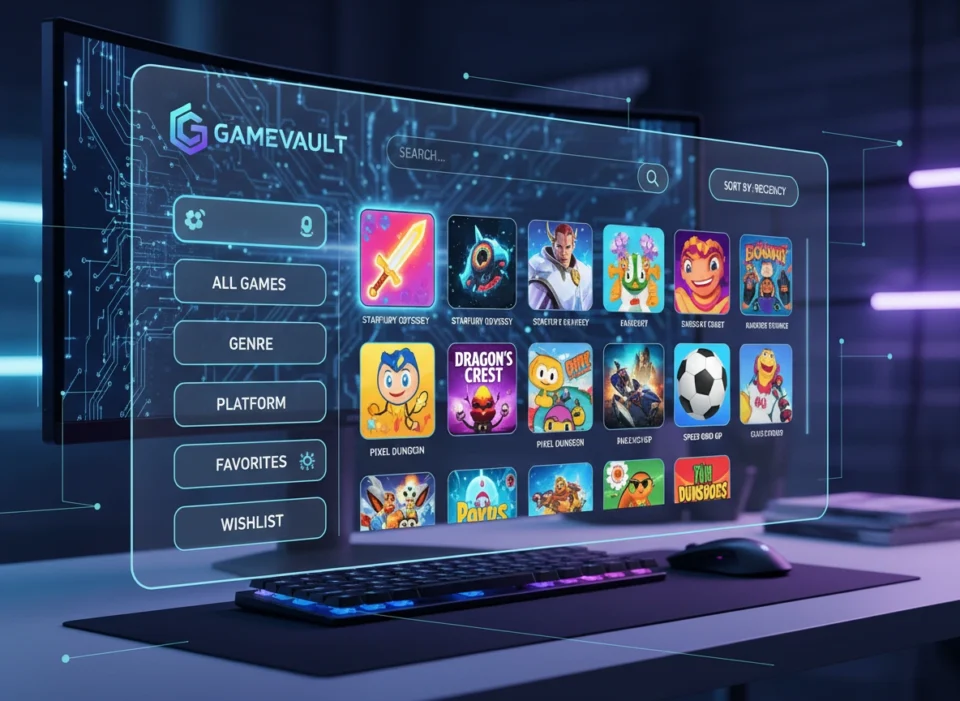
With Gamevault, you see your entire collection on a single screen. The software pulls the metadata for your games, including cover art, release dates, genres, and developer information. This visual presentation transforms a spreadsheet-like list of titles into a beautiful, personalized digital shelf. You no longer need to worry about where a game was purchased. You simply click the cover art, and Gamevault handles the background process of launching the appropriate client and starting the game.
Eliminating the Backlog Burden
Many gamers struggle with a massive backlog of unplayed games. Gamevault helps you tackle this by allowing you to filter out titles you have already finished or abandoned. By viewing only the games you actively want to play, you reduce decision paralysis. You spend less time scrolling and more time actually enjoying your games.
Advanced Categorization and Sorting
Basic launchers offer minimal sorting options, usually limited to alphabetical order or recent playtime. Gamevault provides robust, advanced categorization features that adapt to your specific needs.
Custom Tags and Dynamic Collections
You can create custom tags for any game in your library. Want to group games by mood? Create a “Relaxing Evening” tag. Need to separate your multiplayer games from your single-player adventures? Apply a “Local Co-op” or “Competitive” tag.
Furthermore, Gamevault allows you to build dynamic collections. You can set rules that automatically populate a folder. For example, you can create a dynamic collection that automatically adds any game tagged as an RPG with an install size under 20GB. As your library grows, these dynamic folders organize themselves without any extra manual effort.
Tracking Playtime and Achievements
Organization goes beyond just sorting titles; it also involves organizing your gaming habits. Gamevault tracks your playtime across all platforms and aggregates your achievements. You can easily see which games you dedicate the most time to and which ones you might want to revisit to achieve 100% completion.
Seamless Cross-Platform Compatibility
Gamers rarely stick to just one device. You might play on a powerful desktop rig in your office, a lightweight laptop on the couch, or a handheld gaming PC while traveling.
Gamevault offers outstanding cross-platform compatibility. Once you set up your library organization on one device, those preferences, tags, and custom categories sync across your account. If you spend an hour meticulously organizing your RPG collection on your desktop, you will see that exact same organization when you open Gamevault on your handheld device. This consistency ensures that your gaming experience remains smooth and familiar, regardless of the hardware you choose to use.
Leveraging Cloud Storage Features
Managing local storage space remains a constant headache for gamers. Modern AAA games frequently exceed 100GB in size, meaning you must constantly install and uninstall games to make room.
Effortless Save Management
Gamevault integrates with cloud storage solutions to keep your game files secure. While major launchers offer basic cloud saves, Gamevault allows you to direct save files from DRM-free games, emulators, and older titles into your personal cloud storage. This means you never lose progress, even if your hard drive fails or you upgrade to a new computer.
Asset and Metadata Backups
Beyond save files, Gamevault can back up your customized metadata. If you spent time finding the perfect custom cover art or writing specific notes about a game’s modding requirements, Gamevault saves this data to the cloud. You retain your perfectly curated library even after a complete system wipe.
Enhancing the Overall User Experience
Beyond the technical features, Gamevault simply feels better to use than traditional storefronts.
Storefront launchers exist primarily to sell you more games. They dedicate massive portions of their interface to advertisements, community feeds, and store pages. Gamevault is a library manager, not a store. The user interface remains clean, lightweight, and focused entirely on the games you already own. You do not have to wait for heavy promotional videos to load or close pop-up windows before you can start playing. The platform respects your time and your system resources.
Practical Scenarios: Gamevault in Action
To truly understand the value of Gamevault, let us look at two practical examples of how different gamers utilize the platform.
Scenario 1: The Hardcore Completionist
Mark owns over 800 games across Steam, Epic, and GOG. He loves finishing games to 100% completion. Using Gamevault, Mark creates a highly structured system. He uses custom tags to mark games as “Unplayed,” “In Progress,” “Completed,” and “100% Mastered.” He sets up a dynamic collection that only shows “In Progress” games, keeping his daily view uncluttered. He also uses the notes feature to jot down links to achievement guides and mod lists for older titles. Gamevault turns his overwhelming library into an organized, satisfying checklist.
Scenario 2: The Casual Weekend Gamer
Sarah plays games mostly on weekends with her friends. She does not care about achievements; she just wants to get into a game quickly. Her library consists of party games and co-op shooters. Sarah uses Gamevault to create a single “Game Night” category. When her friends come online, she opens Gamevault, clicks the “Game Night” tab, and instantly sees all her installed multiplayer games, regardless of which launcher requires them. She avoids the hassle of asking her friends “Wait, is this game on Steam or Epic?” because Gamevault handles the launching process automatically.
Taking Control of Your Digital Library
Digital game libraries will only continue to grow. As subscription services, free game giveaways, and seasonal sales add dozens of titles to your backlog every year, relying on fragmented launchers becomes increasingly inefficient.
Gamevault offers a comprehensive, professional solution to game organization. By streamlining your collection into a single interface, offering advanced custom tagging, ensuring cross-platform sync, and focusing purely on the user experience rather than storefront advertisements, it fundamentally improves how you interact with your games.
Take the time to consolidate your library today. Download a game manager, connect your accounts, and spend an hour setting up your personalized categories. You will quickly discover that an organized game vault makes deciding what to play next an absolute pleasure.
Please visit this website for more info.
