
As digital storefronts multiply and free game giveaways become a weekly staple, the average PC gamer’s library has grown exponentially. You might own hundreds of titles scattered across Steam, the Epic Games Store, GOG, and various independent launchers. This fragmentation makes simply finding a game to play a tedious chore. Instead of diving straight into a new adventure, you are forced to remember which client houses the specific title you want to launch.
The digital gaming landscape desperately needs a unifying solution. Players require a centralized hub capable of aggregating their diverse collections into a single, cohesive library. A unified game manager not only saves time but also restores the joy of browsing your personal collection. It allows you to view your entire catalog at a glance, complete with rich metadata, box art, and detailed statistics.
This is exactly where Gamevault steps in to solve the modern gamer’s dilemma. By providing a dedicated platform to organize, track, and manage your titles, it transforms a chaotic digital hoard into a meticulously curated library. In this comprehensive guide, we will explore how this tool operates, highlight its most valuable features, and see how it stacks up against other popular game management software.
Key Features and Benefits of Using Gamevault
Managing a massive digital collection requires robust features that go beyond simply creating desktop shortcuts. Gamevault offers a suite of tools designed specifically to give gamers complete control over their libraries.
Comprehensive Library Aggregation
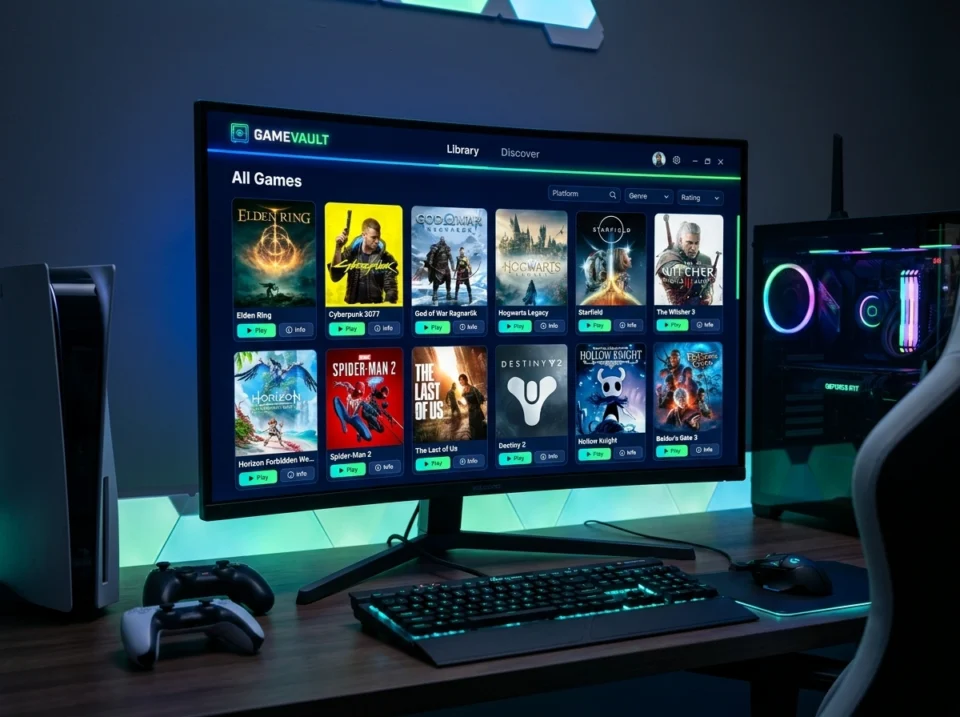
The primary draw of a dedicated game manager is its ability to pull all your titles into one place. Gamevault excels at recognizing games from various sources, allowing you to build a master list of everything you own. This means you no longer have to open four different applications just to see what multiplayer games you have installed. The software scans your directories and automatically imports your games, presenting them in a highly visual, easy-to-navigate grid.
Rich Metadata and Customization
A list of text-based titles is hardly inspiring. Gamevault automatically fetches rich metadata for your collection. This includes high-quality cover art, background images, release dates, genre tags, and developer information. Your library suddenly transforms from a simple directory into a visually stunning digital museum. Furthermore, the platform allows for extensive customization. If you prefer a specific piece of fan art for a game cover, you can easily swap it out. You can also create custom tags and categories, sorting your collection by “Couch Co-op,” “Need to Finish,” or “Endless Replayability.”
Self-Hosted Architecture for Complete Control
One of the most defining characteristics of the Gamevault ecosystem is its self-hosted nature. Unlike cloud-based launchers that rely entirely on corporate servers, this software allows you to establish your own gaming platform on your personal file server. This is particularly beneficial for managing DRM-free games. You retain absolute ownership and control over your files, and you do not have to worry about a storefront suddenly shutting down and taking your library with it.
Social Networking and Event Management
Gaming is inherently social, and organizing your library should not be an isolated experience. Gamevault incorporates social networking capabilities that allow you to connect with friends. You can share your library, see what your peers are currently playing, and even utilize event management tools to schedule multiplayer sessions. This brings the community aspect of gaming directly into your organizational hub.
How Gamevault Simplifies the User Experience
Features are only valuable if they are easy to use. Gamevault is built with user experience at the forefront, ensuring that the process of organizing your games does not feel like a second job.
An Intuitive, Steam-Like Interface
Familiarity breeds comfort. The interface takes heavy inspiration from industry standards like Steam, offering a browsing experience that feels immediately intuitive. Navigation menus are clear, search functions are incredibly fast, and the layout emphasizes visual discovery. You do not need to read a complex manual to understand how to launch a game or edit its properties. The design is sleek, responsive, and tailored specifically for discovering content quickly.
Seamless Installation and Launching
When you self-host your DRM-free games through the platform, the process of downloading and installing them becomes remarkably streamlined. You can browse your personal server just like a commercial storefront, clicking a single button to download and install a title to your local machine. Once installed, launching the game is instantaneous. This removes the friction of manually unzipping files, running obscure executable files, or navigating complex folder hierarchies.
Accessibility Across Devices
Because the platform can be self-hosted, your library data and installation files are not chained to a single computer. You can access your Gamevault server from multiple devices on your network. If you have a primary gaming PC in your office and a home theater PC in your living room, both can connect to the same centralized library. This ensures your gaming experience remains consistent, regardless of which screen you are sitting in front of.
Comparison With Other Game Management Tools
The game management space is competitive, with several notable alternatives vying for your attention. Understanding how Gamevault compares to these established tools will help you determine the best fit for your organizational needs.
Gamevault vs. Playnite
Playnite is widely considered the gold standard for open-source, local game library management. It boasts extensive plugin support and integrations with almost every major storefront. Playnite excels at bringing Steam, Epic, Origin, and console emulators into one local dashboard.
However, Gamevault takes a slightly different approach by heavily emphasizing the self-hosted, server-based model for DRM-free games. While Playnite is perfect for organizing games installed across different commercial launchers on a single PC, Gamevault functions more like your own personal storefront. If your goal is to host a private repository of DRM-free titles that you can easily download and play across your local network, Gamevault provides a more specialized and seamless infrastructure.
Gamevault vs. GOG Galaxy 2.0
GOG Galaxy 2.0 was designed specifically to unify multiple platforms, offering official and community-created integrations to sync your achievements, friends lists, and game libraries across PC and consoles. It features a polished, corporate-backed interface.
Despite its initial promise, GOG Galaxy 2.0 has suffered from frequent connection drops with its third-party integrations. Users often find themselves repeatedly logging back into Steam or Xbox Live to keep their libraries synced. Gamevault avoids this reliance on finicky third-party API connections by focusing on your local and self-hosted files. It offers a more stable, albeit more focused, organizational experience for users who prioritize owning their DRM-free media over syncing console achievements.
Gamevault vs. Steam (Adding Non-Steam Games)
Many users attempt to organize their libraries by simply using the “Add a Non-Steam Game” feature within Steam. While this works in a pinch, it is a highly manual and often frustrating process. You have to locate the executable file yourself, and Steam rarely imports the correct artwork or metadata automatically. Your non-Steam games end up looking like ugly text entries amidst your polished library. Gamevault automates the metadata scraping process and treats every game, regardless of its origin, as a first-class citizen with beautiful cover art and detailed descriptions.
Taking Control of Your Digital Library
The era of struggling to locate your favorite games across a dozen different applications should be firmly in the past. Taking the time to properly manage your digital library pays massive dividends in the long run. It reduces friction, highlights forgotten gems in your backlog, and makes the simple act of choosing a game an enjoyable experience.
Gamevault offers a powerful, visually stunning, and highly controlled environment for organizing your collection. By leveraging rich metadata, an intuitive interface, and the power of self-hosting, it gives ownership and organization back to the player. If you are tired of launcher fatigue and want to build a beautifully curated, easily accessible digital gaming room, setting up a unified management tool is the perfect next step. Evaluate your current library, gather your DRM-free titles, and start building the ultimate gaming hub today.
